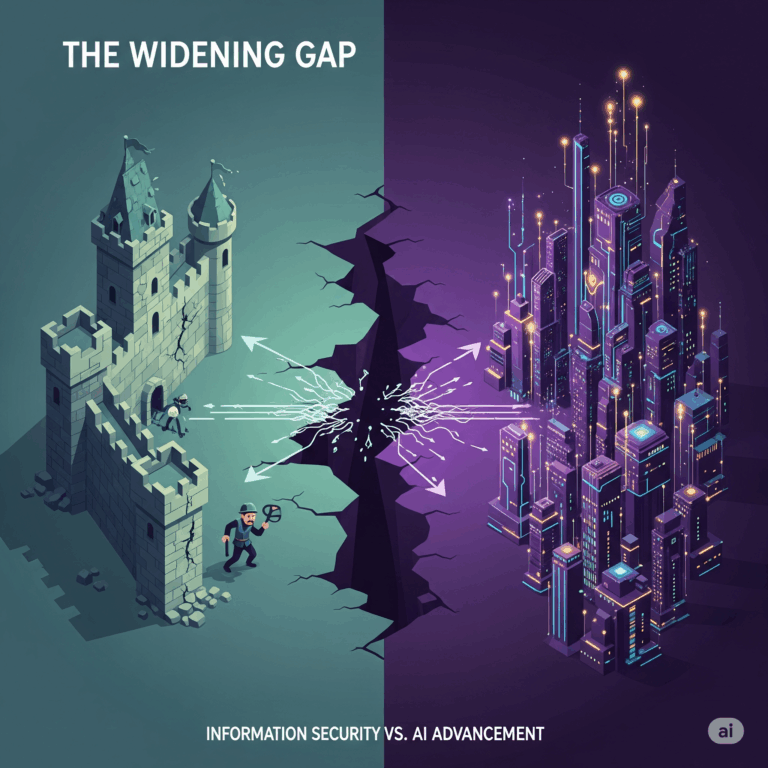
Modern web browsers have become powerful platforms since they now host apps and extensions that rival traditional software in complexity. But as browsers improve, they also become attractive targets. One of the newest and trickiest threats is polymorphic browser extensions—malicious add-ons that change themselves to avoid detection. As discussed on the recent FedNinjas Podcast episode with Craig Taylor, CEO of CyberHoot, these attacks force cybersecurity teams to rethink browser protection as detailed in their recent article.

What Are Polymorphic Browser Extensions?
Polymorphic extensions are harmful browser add-ons, since they particularly use code that changes itself often to stay hidden. Like traditional polymorphic malware, these extensions rewrite parts of their code but keep doing the same bad actions. This tricks antivirus tools and browser security systems.
These extensions use mutation engines which they specifically:
- Rename variables
- Shuffle logic around
- Hide malicious parts in encrypted code
- Load more code from remote servers during runtime
This means two infected users can have different-looking extensions that behave the same way.
How Do These Attacks Happen?
Attackers often start by tricking users. They make fake productivity tools, coupon apps, file converters, or security add-ons. Victims install them thinking they’re useful. These extensions spread through:
- Fake websites or app stores
- Phishing emails
- Bundled software
- Legit websites that were hacked
Once installed, the extension might possibly:
- Steal passwords by logging keystrokes
- Hijack browser sessions by stealing cookies
- Send data back to attackers
- Change websites or inject harmful scripts
The key danger is that the extension keeps changing how it looks, however making it very hard to detect.
Real-World Examples of Polymorphic Extensions
In 2022, Guardio Labs found a major threat. A Chrome extension called “SharkBot” pretended to be a file converter. It used polymorphic techniques to switch up its code and change behavior based on who was using it and where, subsequently fooling Chrome Web Store security checks and infected tens of thousands of users before getting taken down¹.
Another case involved the DarkGate malware, where attackers used polymorphic JavaScript in browser extensions to steal data and stay hidden, as they hid their harmful code inside normal-looking scripts. Additionally, these scripts changed for each victim².
Why Most Security Tools Miss Them
Most defenses focus on operating systems and network traffic. But browsers have their own risks becaue extensions often get more access than people realize.
Traditional tools struggle because:
- The code is always changing
- Malicious parts are hidden or encrypted
- Attackers use rotating servers to hide where the code comes from
- Users give extensions too many permissions
Instead of looking for known bad code, additionally defenders additionaly need to watch what the extension does.
How to Detect and Stop These Attacks
Security teams need a mix of tools and smarter strategies, therefore implementing these tactics to defend against polymorphic extensions:
1. Only Allow Trusted Extensions
Create a list of approved extensions and block everything else. Especially using browser policies from Google Chrome or Microsoft Edge to control this across your organization.
2. Use Browser Isolation
Browser isolation runs risky web activity in a sandbox, therefore keeping threats away from your main systems. Additionally, tools from companies like Menlo Security and Ericom can help.
3. Watch for Strange Behavior
Extensions that act in odd ways or ask for new permissions can be dangerous. For instance, use tools like Elastic Security, Splunk, or CrowdStrike to monitor browser events and get alerts.
4. Run Regular Extension Scans
Scan employee browsers often. hence using tools like ExtensionPolice (open source) or Kolide (commercial) can make this easier.
5. Train Users
Even with good tools, users need to stay alert. Additionally there is a need to teach employees not to install random extensions, especially ones from unknown sources.
What CISOs Need to Know
Polymorphic extensions create a serious blind spot where they consequenlty sneak past many security layers and take advantage of user trust.
CISOs should:
- Treat browsers as untrusted parts of the network unless proven safe
- Add browser activity to EDR and XDR tools
- Use cloud-based security tools like SASE with browser protection
- Include browser extensions in audits, especially for industries with strict data rules
What’s Next for These Attacks
Attackers will keep getting smarter, therefore we may soon see:
- AI-generated extensions that change even faster
- Attacks using popular extension tools to slip through undetected
- Extensions that work across different browsers
Finally, to keep up, defenders must focus on what extensions do—not just what they look like. Dynamic monitoring, isolation, and smart policies will be key.
About The Author